For most small home service businesses, a free Nextdoor business page is worth an hour, once your Google Business Profile is in order. It matters more now than it did a year ago. Since August 2026, Nextdoor says you can't promote your own business from your personal account, including when a neighbor asks "who's a good plumber?" If you want to answer those posts, you need a business page. The paid extras are a separate call, and you can skip them until the free page is bringing in messages.
What changed in August 2026
Most Nextdoor guides were written before this change, and it's the biggest reason to set up a page now. On August 19, 2026, Nextdoor announced that promoting a business has to happen from a free business page, not a personal neighbor account. Its help center now spells out what's no longer allowed from your personal account:
- Posting about your services in the main feed or in For Sale and Free.
- Replying to a neighbor's "who should I call?" post to recommend your own business. Nextdoor says those replies must come from other neighbors or from your business profile.
- Sending unsolicited direct messages to neighbors who asked for a plumber, roofer or cleaner.
- Having your spouse, staff or close friends post about you. Nextdoor treats that as business promotion whether or not they mention the relationship.
Nextdoor says its system may block or hide self-promotional content as you write it. Repeat violations can restrict your account. The "casual service" exception doesn't fit a real trade business. It only covers people who post at most once every 30 days and use no business name. They also can't be registered or licensed as a business, or have a business website.
So if you've been answering recommendation threads from your personal profile, that route is gone. From a business page you can still comment, reply to mentions and answer messages.
What's free and what costs money
We checked these on Nextdoor's business site and help center on September 17, 2026.
| Feature | Cost | What it does |
|---|---|---|
| Business page | Free | Your listing with contact info, photos, hours and neighbor recommendations. |
| Business posts | Free | Nextdoor advertises "unlimited free posts". Posts from verified pages show on your page and in the feed for neighbors near your business address. |
| Recommendations and Faves | Free | Neighbors Fave your page and write recommendations. You can reply from your business page. |
| Messages | Free | Neighbors can message you from your page. |
| Nextdoor Ads | Paid, you set the budget | Ads with a daily goal or a lifetime budget. You're charged when your balance hits a billing threshold. |
| Opportunity Alerts | Paid monthly subscription | Text, email or push alerts when a neighbor within 20 miles asks for one of up to 3 service categories you choose. |
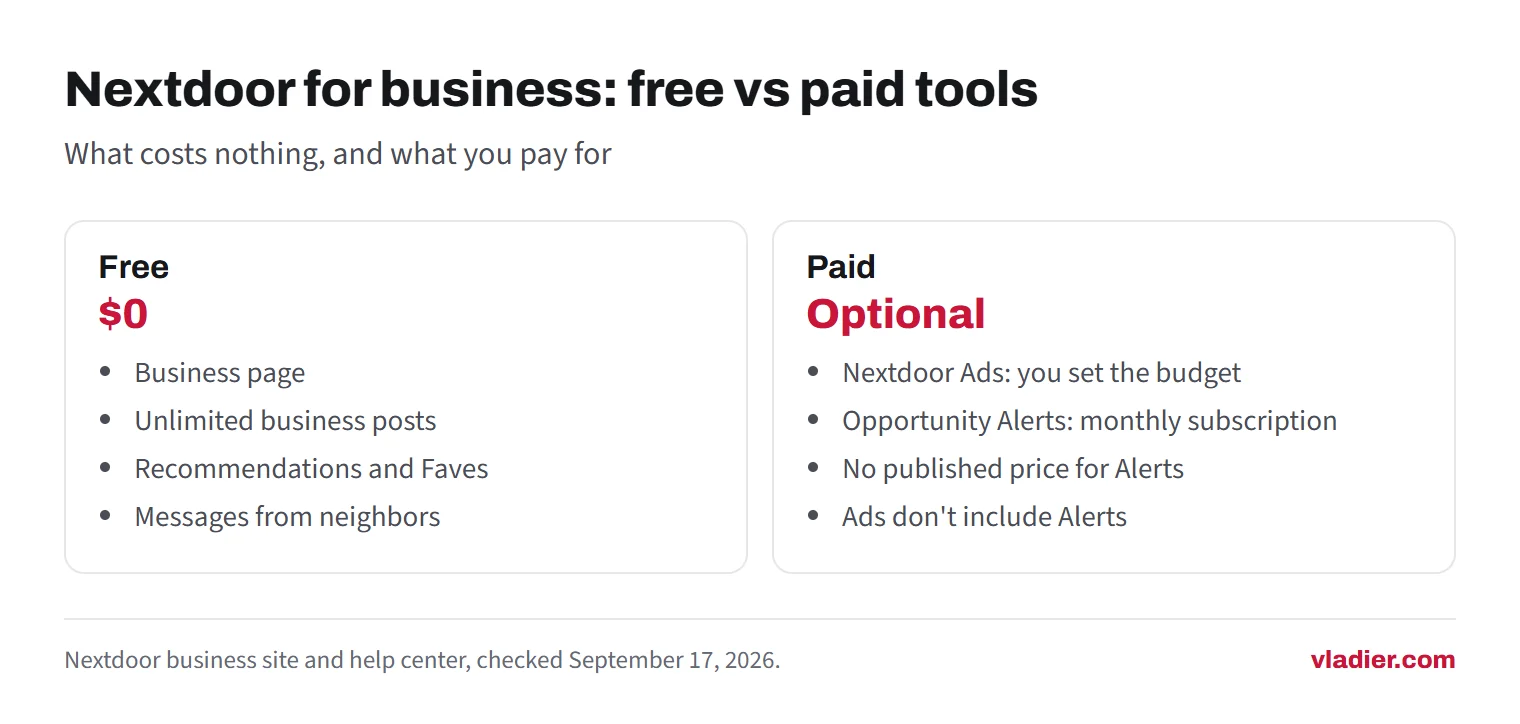
Two things older articles get wrong. Local Deals is no longer a separate product. Nextdoor folded it into Ads Manager as the "Promote a sale or discount" ad, targeted by ZIP code with a daily budget instead of a price per neighborhood. And we couldn't find a published price for Opportunity Alerts on Nextdoor's product page or help article. You see the price when you subscribe, so check it before you enter a card.
Opportunity Alerts is its own subscription. Buying ads doesn't include it, and it doesn't include ads. Nextdoor lists 32 eligible categories, including plumbers, electricians, HVAC, roof services, landscaping, painting, pest control and home cleaners.
How to set up a Nextdoor business page
Nextdoor creates pages automatically for local businesses, so neighbors may already be tagging yours. Search for it before you create anything. These are the web steps from Nextdoor's help center:
- Pick the account. You can attach the business page to your personal Nextdoor account and switch between the two. If employees will share the login, Nextdoor suggests keeping the business account separate and signing up while logged out.
- Claim or create. Logged in, search for your business and use the claim link near the top of its page. If it isn't there, select your profile icon, then Add business page. Nextdoor checks your details for an existing unclaimed page and offers to claim it if there's a match.
- Fill in the page. Go to Page, then Edit. Use the name customers know, with no slogans or special offers in it. Add a square logo (500 by 500 pixels), a short bio, up to 10 categories, your website, phone, email and hours.
- Decide on the address. Nextdoor says a service business should enter the address it drives out from. To hide it, uncheck Display address on page. Neighbors then see only your city.
- Add work photos. The photo gallery takes pictures of your work and your business. Real jobs beat stock images here too.
- Verify. Open Settings in the bottom left, select Verify and upload a current document. Nextdoor accepts a government business license or permit, a business tax registration certificate, an IRS EIN confirmation letter or tax notice, Articles of Organization, or a business credit report. Finish it in one session.
- Share the link. Select Share at the top of your page and send the link to past customers.
Most of Nextdoor's verification tips are about matching details. The business name on your document has to match your page name exactly, punctuation included. Your personal name has to match too. If you work from home, use the same address that's on the document, then hide it. Nextdoor says verification in its app is immediate.
Verification is worth doing. Only verified pages get the checkmark and can publish business posts, and unverified pages may be limited in messaging customers or buying ads.
How recommendations work, and the rules around them
Recommendations are the reason a trade business would use Nextdoor at all. Only Nextdoor members can recommend a business. A neighbor does it in one of two ways. They can open your page, tap Fave and then write a recommendation. Or they can @mention your page in a post or comment.
Both kinds show on your page under What neighbors say. Recommendations written after a Fave also go into the newsfeed. Nextdoor says the more recommendations you get across neighborhoods, the more neighbors see your page. The more you get inside one neighborhood, the higher you rank in that neighborhood's Recommendations section.
What you can and can't do:
- Ask past customers. Nextdoor's own advice is to share your page link so customers can recommend you. Send it in the same text where you ask for a Google review. How to get more Google reviews has wording that works for both.
- Reply from the business page. You can comment on posts that mention your business and on posts neighbors make when they Fave you.
- Don't recruit family or staff. Posts from family, staff or close friends that promote your business count as self-promotion, disclosed or not. Nextdoor also only allows a neighbor to recommend a provider when there's no relationship, referral benefit or other conflict of interest.
- Expect the occasional negative one. Nextdoor lets members share a bad experience, and asks them to describe specific actions without name-calling. Answer it the way you'd answer a bad Google review: short, calm, and with a phone number. Our guide to negative reviews has example replies.
- Check the AI summary. Nextdoor writes a summary of your business from neighbor mentions and recommendations. You can switch it off in your page settings if it gets you wrong.
Where Nextdoor fits against Google Business Profile
Nextdoor says 1 in 3 U.S. households are on it. That's Nextdoor's own number, and it tells you nothing about how many people in your service area open the app to hire a contractor. Google is where people search for "plumber near me", Google says you can't pay for a better local ranking. Its tips are to verify, keep your details current, reply to reviews and add photos. That work keeps paying off on every search. A Nextdoor thread drops down the feed within days.
Here's the order we'd follow for a 1 to 10 person trade business with a small budget:
- Google Business Profile, verified and complete. Our Google Business Profile checklist covers it.
- A steady flow of Google reviews from every finished job.
- A website that loads on a phone and has a call button, since every listing, Nextdoor included, links to it.
- A free, verified Nextdoor business page. Setup takes about an hour, then a few minutes a week answering messages and mentions.
- Bing Places, plus Apple Business if you have a location customers visit. See Apple Business Connect and Bing Places.
- Paid Nextdoor tools, only after the free page is working. Try one at a time, with a spending limit you set before you start.
For more ideas at the same budget, contractor marketing on a small budget puts the options in order.
When Nextdoor isn't worth your time
Skip it, or park it for later, if any of these fit:
- Your Google profile isn't verified yet, or it has fewer reviews than your competitors. Fix that first.
- You're booked out for months through referrals and repeat customers. A new lead channel only adds calls you'll turn down.
- Nobody will answer messages or mentions within a day. A page that ignores neighbors looks worse than having no page.
- Most of your work is commercial, or it comes through general contractors. Nextdoor is a network of neighbors hiring for their own homes.
- You're thinking of paying for Opportunity Alerts without knowing the price or your margin per job. Work out how many jobs a month it has to win to pay for itself, then decide.
If none of those apply, the free page is cheap insurance. Neighbors may already be talking about you on a page Nextdoor created automatically. Since August, you can only answer them from a business page.
Next step: search Nextdoor for your business name today. Claim the page if it exists, verify it with your business license or EIN letter, and text the link to your last ten customers.
Frequently asked questions
Is a Nextdoor business page free?
Can I recommend my own business on Nextdoor?
Do I have to show my home address on Nextdoor?
How much do Nextdoor Opportunity Alerts cost?
What happened to Nextdoor Local Deals?
Sources we checked (14)
- Nextdoor Business: Create your Business Page on Nextdoor
- Nextdoor Help: Claim or create your business page
- Nextdoor Help: About verified business pages (for businesses)
- Nextdoor Help: Edit your business page information
- Nextdoor Help: Get recommendations as a business on Nextdoor
- Nextdoor Help: About business recommendations on Nextdoor
- Nextdoor Help: Self-Promotion using your Personal Account
- Nextdoor Blog: Changes to self-promotion policy (August 19, 2026)
- Nextdoor Help: Nextdoor Opportunity Alerts for Business Pages
- Nextdoor Business: Opportunity Alerts
- Nextdoor Help: Ads Manager, setting your spend using budget and bids
- Nextdoor Business: What happened to Local Deals
- Nextdoor Business: Small business advertising on Nextdoor
- Google Business Profile Help: Tips to improve your local ranking on Google
Want to see a new site before you decide anything?
We'll build your website for free and send you a private link. If you like it, plans start at $99/month. If not, you owe nothing.
Build my free website