For a small contractor, social media is worth about 30 minutes a week, and most of that should go to one platform. Keep a Facebook business page current, reuse your job photos there and on your Google Business Profile, and answer messages the same day. Anything past that is optional and depends on your trade. Most guides on social media for contractors are written by agencies and scheduling apps, and they rank five or six platforms as if you had a marketing person. We don't sell social media management. We also won't promise it brings jobs, because we haven't seen data that shows it does for a 1 to 10 person trade business.
Where your customers are, and what that doesn't tell you
Pew Research surveyed 5,022 U.S. adults between February and June 2025. Here's how many say they ever use each platform:
| Platform | U.S. adults who use it |
|---|---|
| YouTube | 84% |
| 71% | |
| 50% | |
| TikTok | 37% |
| 26% |
Pew also found that about half of U.S. adults visit Facebook and YouTube at least once a day. So your customers are there. That doesn't mean they hire there.
Think about how a homeowner finds a contractor. With water on the floor, they search Google and call the first business that looks real. For a planned job, they ask a neighbor, then look the name up. Social media mostly helps with that second look. Someone gets your name, checks your Facebook page, and sees recent jobs and a phone number. Or they see a page nobody has touched since 2021. That check is the main thing your social media has to pass, and it doesn't take daily posting.
Each platform, ranked for a small trade business
This is our judgment, not measured data. The time column is the minimum that keeps a page from looking abandoned.
| Platform | Worth it for | Minimum time | Skip it if |
|---|---|---|---|
| Facebook page | Almost every residential trade. It's where people check you out after a referral | 15 minutes a week | Never skip the page itself. You can skip posting often |
| Nextdoor business page | Residential work in neighborhoods where people use it | A few minutes a week for messages | Your work is commercial or comes through general contractors |
| Work that photographs well: remodeling, painting, landscaping, concrete, fencing, roofing | Same photos as Facebook, 5 extra minutes | Your work is mostly repairs behind walls or under sinks | |
| YouTube | Explaining big decisions, like repair versus replace, if you're comfortable on camera | An hour or more per video | You don't enjoy it. A bad video is worse than none |
| TikTok | Owners who already like making short videos | Several short videos a week to get any reach | You'd be doing it because an article said to |
| Commercial work: property managers, facility managers, builders | A profile and occasional updates | You only do residential jobs |
Nextdoor has its own rules about promoting a business from a personal account. Our Nextdoor guide covers setup and what's allowed.
Notice what's missing: X and Pinterest. Neither is a place a homeowner goes to find a local plumber, so we'd leave them alone.
The 30-minute week
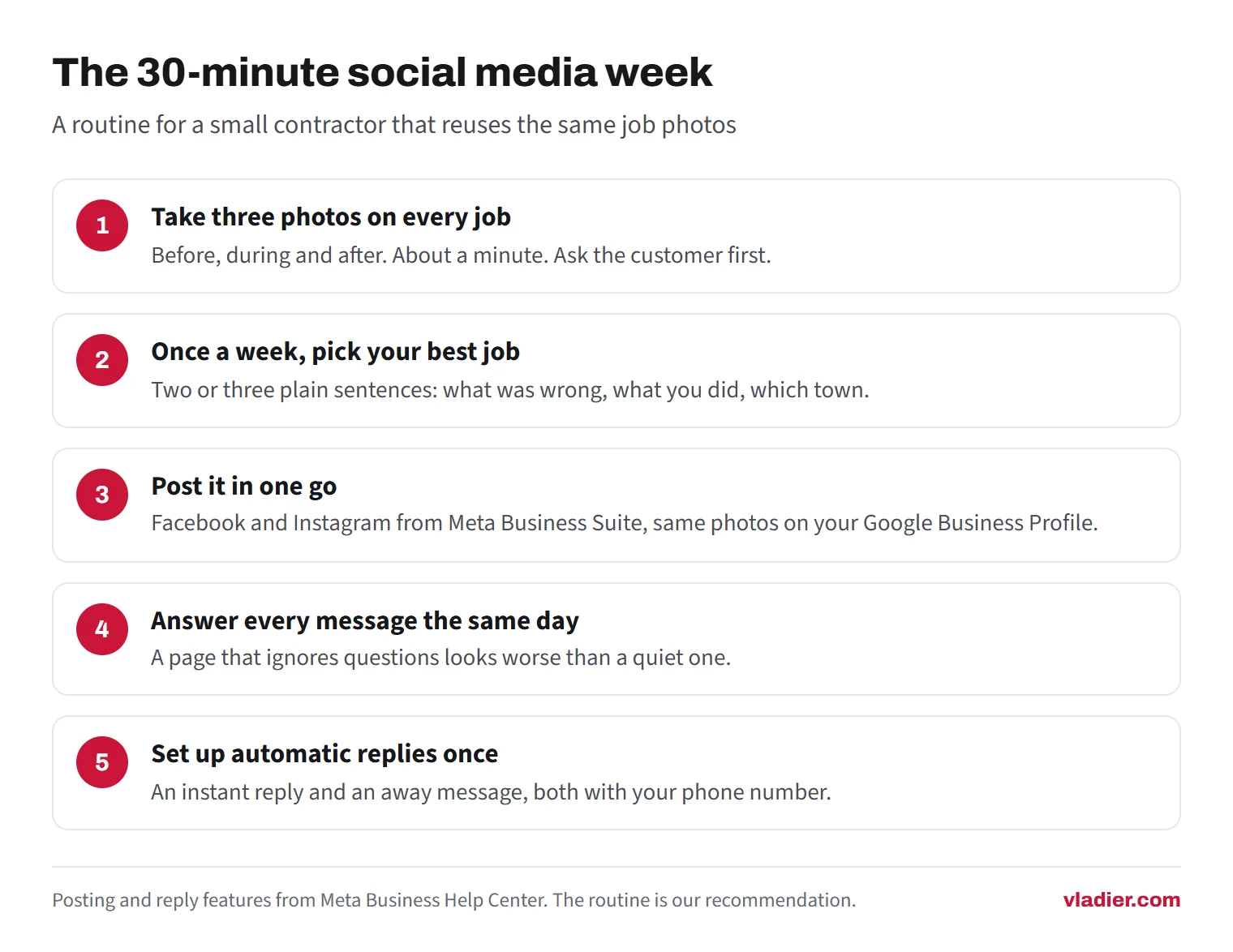
A routine you can keep beats a content plan you drop in March. This one reuses the same photos everywhere and takes about half an hour.
- On every job, take three photos on your phone: before, during and after. That's about a minute. Ask the customer first if the house or their car is in the picture.
- Once a week, pick your best job. Write two or three plain sentences: what was wrong, what you did, which town. No hashtag walls, no stock images.
- Post it in one go. In Meta Business Suite you choose where a post goes, like your Facebook Page and your Instagram profile, and you can adjust the text for each. You can also schedule it for later. Post the same photos to your Google Business Profile.
- Answer every message and comment the same day. A page that ignores questions looks worse than a quiet one.
- Set up automatic replies once. Meta Business Suite has an instant reply for first-time messages and an away message for when you're not available, across Messenger, Instagram and WhatsApp. Put your phone number in both, so a customer with an urgent job can call instead of waiting.
Then link the accounts from your Google profile. In Google Business Profile, go to Edit profile, then Contact, then Social profiles. You can add one link per platform, including Facebook, Instagram, TikTok, YouTube and LinkedIn. Google says the feature is only available in some regions, so you might not see it yet.
What changes by trade
Emergency trades like plumbing, locksmiths and garage doors rarely get the first call from social media. The customer is searching Google on their phone. For you, the 30-minute week is plenty, and any spare time is better spent making sure someone answers the phone. Our guide to after-hours calls compares the options.
Photo-driven trades like remodeling, painting, landscaping, concrete, fencing and roofing have the most to gain. The before-and-after picture is the whole sales pitch. Here Instagram is worth the extra five minutes, and a steady stream of real job photos does more than any caption.
Recurring trades like cleaning, lawn care, pest control and HVAC maintenance can use a Facebook page to stay in front of past customers. A seasonal reminder, like a spring lawn start or a furnace check before the first cold week, reaches people who already trust you. It still works better as a direct text to your customer list, which costs nothing and reaches everyone.
What not to pay for
These get sold hard to small trade businesses. Our view on each:
- Followers. The FTC's rule on fake reviews and testimonials, announced August 14, 2024, bans selling or buying fake signs of social media influence, like followers or views from bots or hijacked accounts, when they're used to misrepresent a business's importance for commercial purposes. Leaving the legal risk aside, 5,000 followers from other countries don't hire a plumber in your town.
- A social media manager before the basics. If your Google profile isn't verified and calls go to voicemail, a monthly posting package is paying for the wrong thing first. Our marketing on a small budget guide puts the free steps in order.
- Boosted posts without a number. Boosting is advertising. Work out the most you can pay for a lead before you spend anything, the same way you would for Google Ads.
- Daily tips content. "5 signs your water heater is failing" posted three times a week takes hours to make, and your followers are mostly past customers and relatives. One real job a week beats it.
- Accounts on every platform. Five abandoned profiles look worse than one active one. Delete or hide the ones you won't keep up.
How to tell whether it's working
Likes and followers won't tell you. Ask every new caller one question: "How did you hear about us?" Write the answer down next to the job, every time, for three months.
After three months, count. If Facebook or Instagram shows up next to real jobs, keep going, and maybe add the next platform on the list. If it shows up next to nothing, drop to the minimum: a current page, a phone number, and messages answered. Put the saved time into reviews and your website, the places people go before they call.
Next step: open your Facebook business page on your phone as if you were a stranger. If the last post is more than a few months old, or the phone number is wrong, fix that today and post your most recent job.
Frequently asked questions
What is the best social media platform for contractors?
How often should a contractor post on social media?
Should I pay someone to run my social media?
Can I add my social media links to my Google Business Profile?
Sources we checked (5)
- Pew Research Center: Americans' Social Media Use 2025 (November 20, 2025)
- Google Business Profile Help: Add social media links to your Business Profile
- Meta Business Help Center: Create and manage posts in Meta Business Suite on desktop
- Meta Business Help Center: About Inbox automations in Meta Business Suite
- Federal Trade Commission: FTC announces final rule banning fake reviews and testimonials (August 14, 2024)
Want to see a new site before you decide anything?
We'll build your website for free and send you a private link. If you like it, plans start at $99/month. If not, you owe nothing.
Build my free website