There are four ways to put your Google reviews on your website: a button that links to them, a few reviews copied as text, a review widget from another company, or a custom build on Google's Places API. Google's help pages for business owners only cover the first one. They show you how to share a link to a review, not how to embed it. Most articles on this topic are written by companies that sell widgets. We don't sell one, so this guide compares all four, with the free plan limits we checked on September 24, 2026.
The four ways, side by side
Each method trades effort against how current the reviews stay. Here's how they compare for a small business website.
| Method | Cost | Stays up to date? | Adds code from another company? | Best for |
|---|---|---|---|---|
| A button or link to your Google reviews | Free | Yes, it opens Google | No | Every site, as a minimum |
| Reviews copied as text, each linked to Google | Free | No, you update it by hand | No | Most trade businesses |
| A review widget | Free plans with limits, paid plans from about $5 to $29 a month (see below) | Yes, it syncs on its own | Yes, a script on every page it's on | Owners who won't update the page by hand |
| A custom build on Google's Places API | Developer time plus Google's API usage | Yes, but at most 5 reviews come back | Google's own | Sites with a developer already on hand |
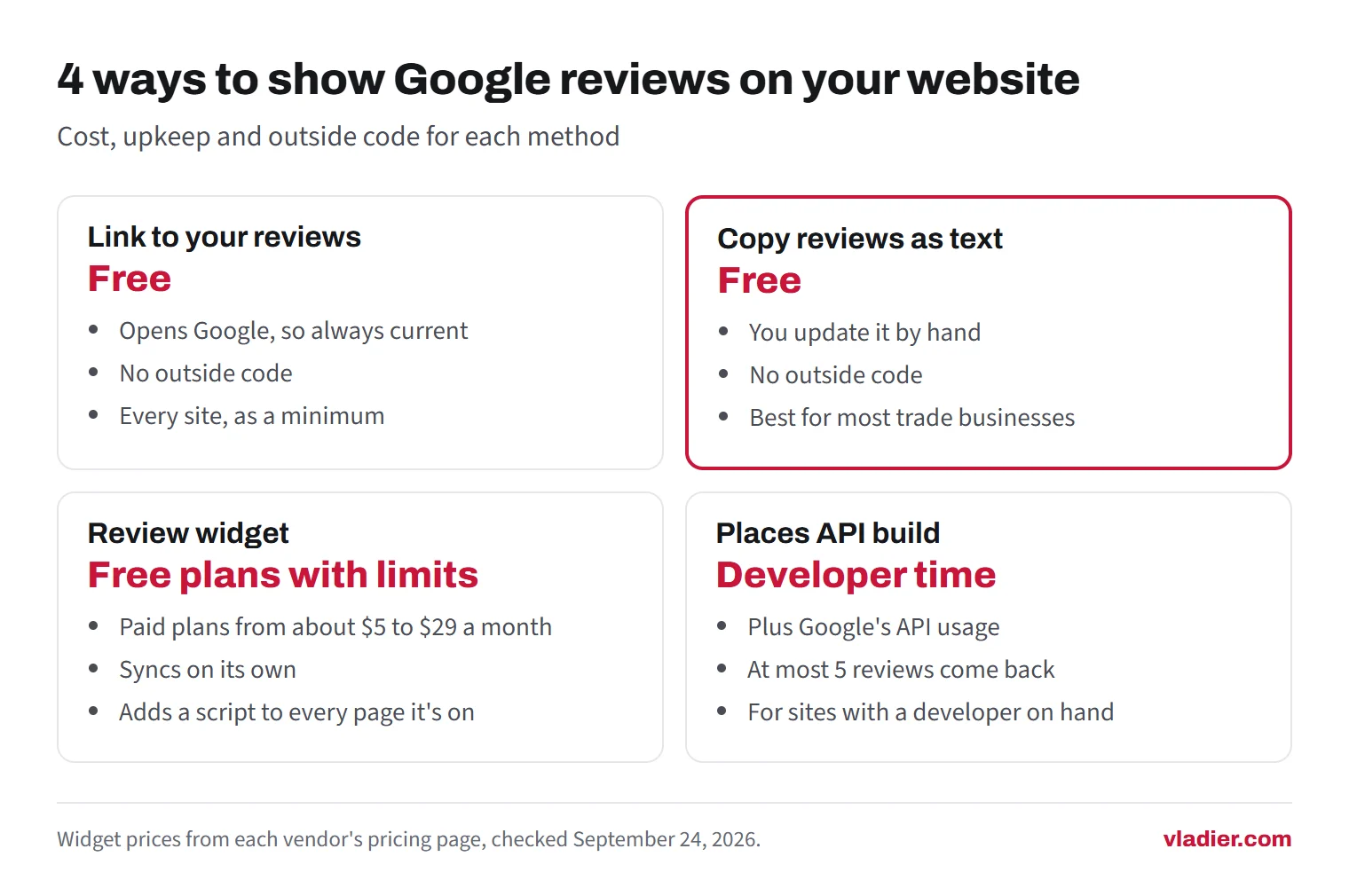
You can combine them. The setup we'd recommend is the second row plus the first: a short section of copied reviews, and a link underneath to the full list on Google.
Method 1: link to your reviews on Google
This is the only method Google documents for business owners. Its help page calls positive reviews "helpful testimonials for your business" and explains how to share a direct link to one. The steps, as Google lists them:
- Go to Google Maps and search for your business's name and city.
- Select Reviews.
- Next to the review you want, select More, then Share review.
- In the Share window, select Send a link, then COPY LINK.
Paste that link under the review on your site, or behind a button. For a button that shows all your reviews, use the link to your Business Profile on Google Maps. Several widget blogs describe an "Embed" tab in the review share window. Google's help page doesn't mention one, only the link, so we wouldn't build on it.
The downside of a link alone is that the visitor has to leave your site to read anything. That's why we'd pair it with a few reviews shown on the page itself.
Method 2: copy a few reviews onto the page
This is the fastest page to load and the cheapest to run: plain text, no scripts, nothing that can break when a vendor changes its plans. It takes about 15 minutes, and a few minutes every couple of months to swap in newer reviews.
Pick reviews that mention the job and the town, like "fixed our water heater in Nixa the same day". They say more than "Great service!". If you have a page for each service, put a review about that service on that page. Here's a simple layout, with placeholders where the real details go:
- ★★★★★ and the date of the review, for example "September 2026".
- The customer's words, copied exactly as written.
- Their name as it shows on Google (a first name and last initial is enough), and the town if they mentioned it.
- A small link: "Read this review on Google", using the share link from Method 1.
Two rules keep this honest. First, copy the words as they are. The FTC's endorsement guides say a testimonial can't be "reworded so as to distort in any way the endorser's opinion or experience". Fixing a typo is one thing. Cutting "after two reschedules" out of the middle of a sentence is another.
Second, it's their review, written on Google. We'd send the customer a quick text asking if you can feature it on your website. Most people say yes, and it's one more friendly touch after the job.
Method 3: a review widget, and what the free plans limit
A widget connects to your Google Business Profile and shows your reviews on your site as a carousel, grid or badge. You paste a snippet of code once, and new reviews show up on their own. That's the real selling point.
Free plans exist, but each one comes with a catch. Here's what we found on four vendors' pricing pages on September 24, 2026. We don't use or recommend any of them in particular.
| Widget | Free plan | Cheapest paid plan |
|---|---|---|
| Elfsight | 200 views a month, with Elfsight branding. Going over the limit "will temporarily deactivate your app" | $5 a month billed yearly, 5,000 views a month |
| Shapo | Up to 10 testimonials, with Shapo branding | $29 a month, with 2 months free on the yearly plan |
| Featurable | One widget, 15 reviews per widget, unlimited page views, with Featurable branding | $29 a month billed annually ($348 a year) |
| Trustindex | A free package is offered; the pricing page lists its features but we couldn't read clear limits from it | $65 a year for one company, unlimited views |
Read the view limits carefully. On Elfsight, a view is "the number of times a widget loads on a webpage". If the widget sits on your homepage, every visit to your homepage counts. A small local site can pass 200 homepage visits in a month, and then the widget goes dark until the month resets. For a site with any real traffic, the free plan is a trial.
Two more things to check before you pick one. Does it let you show every review, or only ones above a star rating you choose? Some widgets offer a filter that hides low ratings, which matters for the FTC rule below. And does the free plan require a link or logo back to the vendor on your site?
Method 4: build it on Google's Places API
If you already pay a developer, they can pull reviews straight from Google through the Places API. It's the most "official" way, and it has limits of its own. Google's reference says the reviews field returns reviews "sorted by relevance" and "A maximum of 5 reviews can be returned". Google's display rules also apply:
- You must credit each review's author, with their name, profile photo and a link to their profile where space allows.
- Each review needs a link to the source on Google Maps, and if there's no Google map on the page, Google's logo or text attribution.
- Review content can't be cached or stored beyond what Google's terms allow; only the place ID can be kept indefinitely.
- If you reorder reviews, you have to show a clear notice of how they're ordered and filtered.
For most small businesses that's a lot of work to show five reviews Google picked for you. Method 2 gives you more control for less money.
The rules: what you can't do with reviews on your own site
Showing your best reviews in marketing is allowed. What's not allowed is pretending a hand-picked set is the whole picture. The FTC's rule on consumer reviews bans a business from saying that the reviews it displays "represent most or all the reviews submitted" when it has suppressed reviews based on their rating or negative sentiment. The FTC's Q&A on the rule adds the other side: the rule doesn't prohibit "the selective use of particularly positive consumer reviews in marketing materials", and simply ordering reviews isn't suppression.
In practice, for a trade business website:
- Label a selection as a selection. "A few of our Google reviews" is accurate. "What all our customers say" above a filtered widget isn't.
- Link to the full list. A "Read all our reviews on Google" button lets anyone check, and it costs nothing.
- Never write or buy reviews. The FTC's Q&A says a business that puts testimonials on its own website is disseminating them, and can be liable if they're fake or false.
- Don't reword them. Same FTC endorsement rule as above.
One more thing people expect and don't get: gold stars in Google search results. Google's rules for review snippets say that if the business controls the reviews about itself, pages using LocalBusiness or Organization structured data "are ineligible for star review feature". That includes reviews shown through a widget. So adding review markup to your homepage won't put stars next to your site in Google. The stars people see come from your Business Profile, which is why getting more Google reviews matters more than how you display them.
Where reviews belong on the page
Reviews do the most work right before someone decides to call. Our suggestions, based on how trade websites are usually laid out:
- Near the call button and the quote form, not on a separate "Testimonials" page nobody clicks.
- On each service page, one review about that service.
- Your rating and review count near the top, in plain text, like "4.9 on Google from 87 reviews", linked to your profile. Update it when the numbers change.
- A reply under a bad review, not a hidden review. If someone finds a 2-star review on Google that you answered calmly, that helps you. Our guide on responding to negative reviews has examples.
If you use a widget, watch your page speed. Review widgets are one of the outside scripts that slow a phone down; we covered how to check that in how to read PageSpeed Insights. Copied text doesn't have that problem at all.
The full list of what a trade site needs, reviews included, is in what a contractor website needs.
Your next 15 minutes
Open your Google Business Profile, pick three recent reviews that mention a job and a town, and copy each share link. Text those customers to ask if you can feature their words. Then add the reviews and one "Read all our Google reviews" button next to your call button. If you're thinking about a new site to do all of this at once, the website cost calculator gives you a starting budget.
Frequently asked questions
Can I embed Google reviews on my website for free?
Does Google have an official Google reviews widget?
Will reviews on my website give me stars in Google search?
Can I show only my 5-star reviews?
Can I edit a review before putting it on my site?
Sources we checked (11)
- Google Business Profile Help: Manage customer reviews (Get a link to a customer's review)
- FTC: The Consumer Reviews and Testimonials Rule, Questions and Answers
- 16 CFR 465.7: Review suppression (text via Cornell LII)
- 16 CFR 255.1: Guides Concerning the Use of Endorsements and Testimonials, general considerations (text via Cornell LII)
- Elfsight: Pricing (checked September 24, 2026)
- Google Maps Platform: Places API (New) REST reference, reviews field
- Shapo: Pricing (checked September 24, 2026)
- Featurable: Pricing (checked September 24, 2026)
- Trustindex: Prices (checked September 24, 2026)
- Google Maps Platform: Policies for Places API
- Google Search Central: Review snippet structured data (self-serving reviews)
Want to see a new site before you decide anything?
We'll build your website for free and send you a private link. If you like it, plans start at $99/month. If not, you owe nothing.
Build my free website